How teams use Hive · Finance · Accounting
Chase every overdue invoice in one sitting.
Hive finds what's overdue in FreeAgent, Xero or QuickBooks, drafts each reminder, and sends only what you approve.
- Who it's for
- Finance leads and owners of SMEs, credit control, and practices chasing their own fees.
- Typical week
- Month end, or every morning
Before
- Export aged debtors.
- Cross-check who has already paid.
- Find each contact's email.
- Copy a reminder template and change the name, number and amount.
- Send them one by one, and remember who to chase again.
With Hive
Connect your accounting tool
Connect FreeAgent, Xero or QuickBooks. Each overdue invoice becomes an Invoice to chase on its matter in Signals, with the amount in the invoice's own currency, taken from the record.
Ask for the list
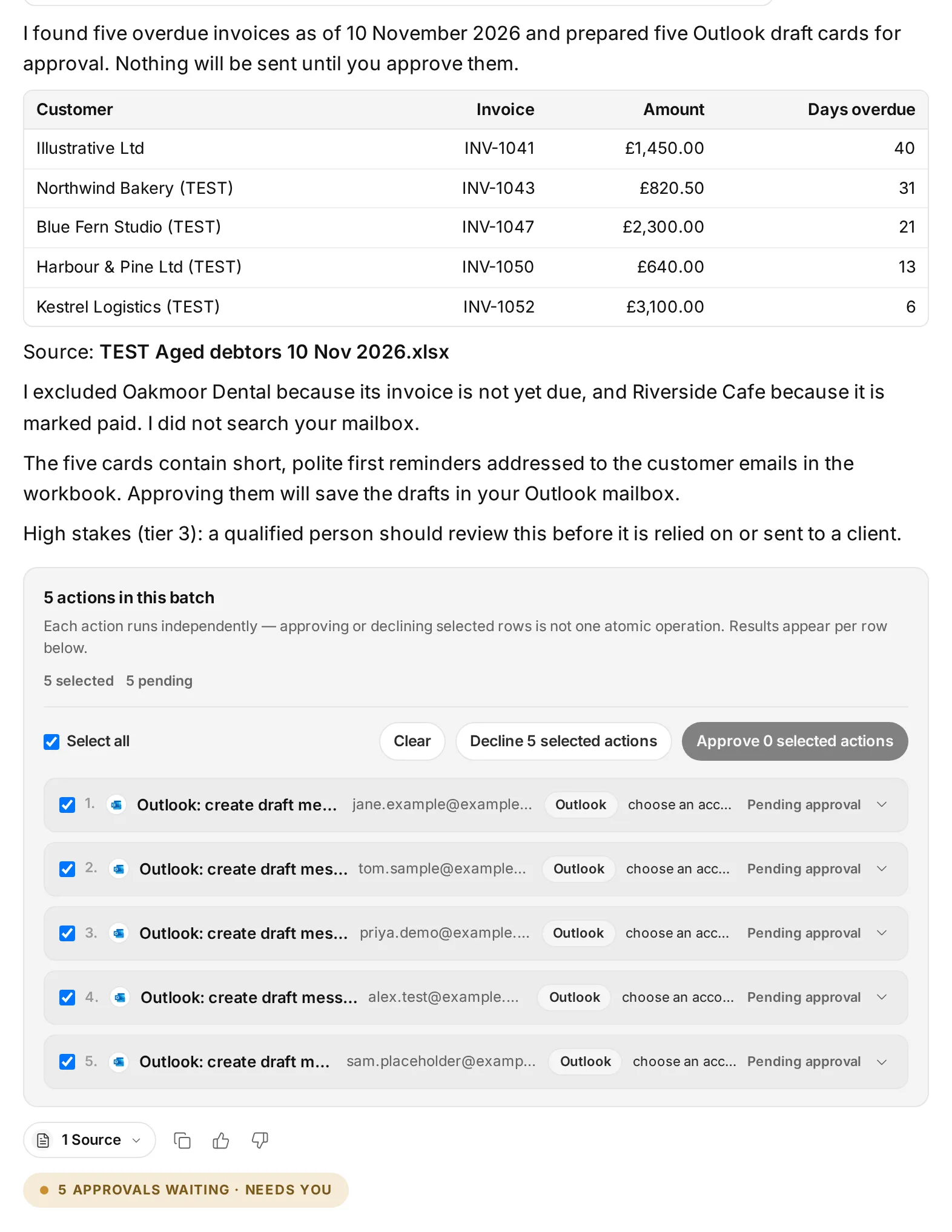
In Ask Hive: “Show me the overdue invoices with customer, amount and days overdue, and draft a first reminder for each.” Each reminder comes back as an Outlook draft card.
Approve the chase
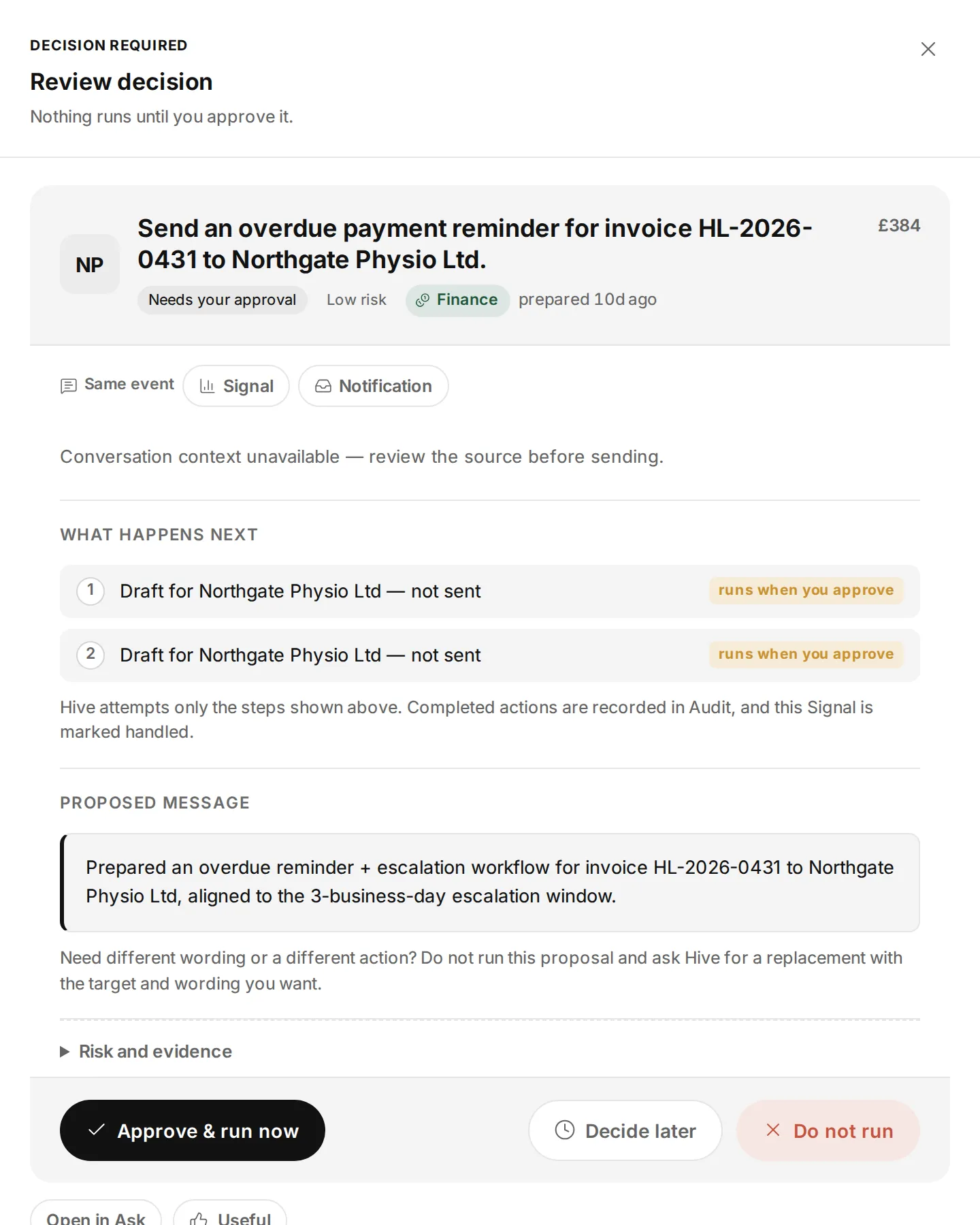
Open the chase in Signals, read the reminder, and choose Approve & run now, Decide later or Do not run.
The chase ends on its own
When the invoice is paid, voided, credited or closed in your accounting tool, the chase stops.
On Xero, automate it
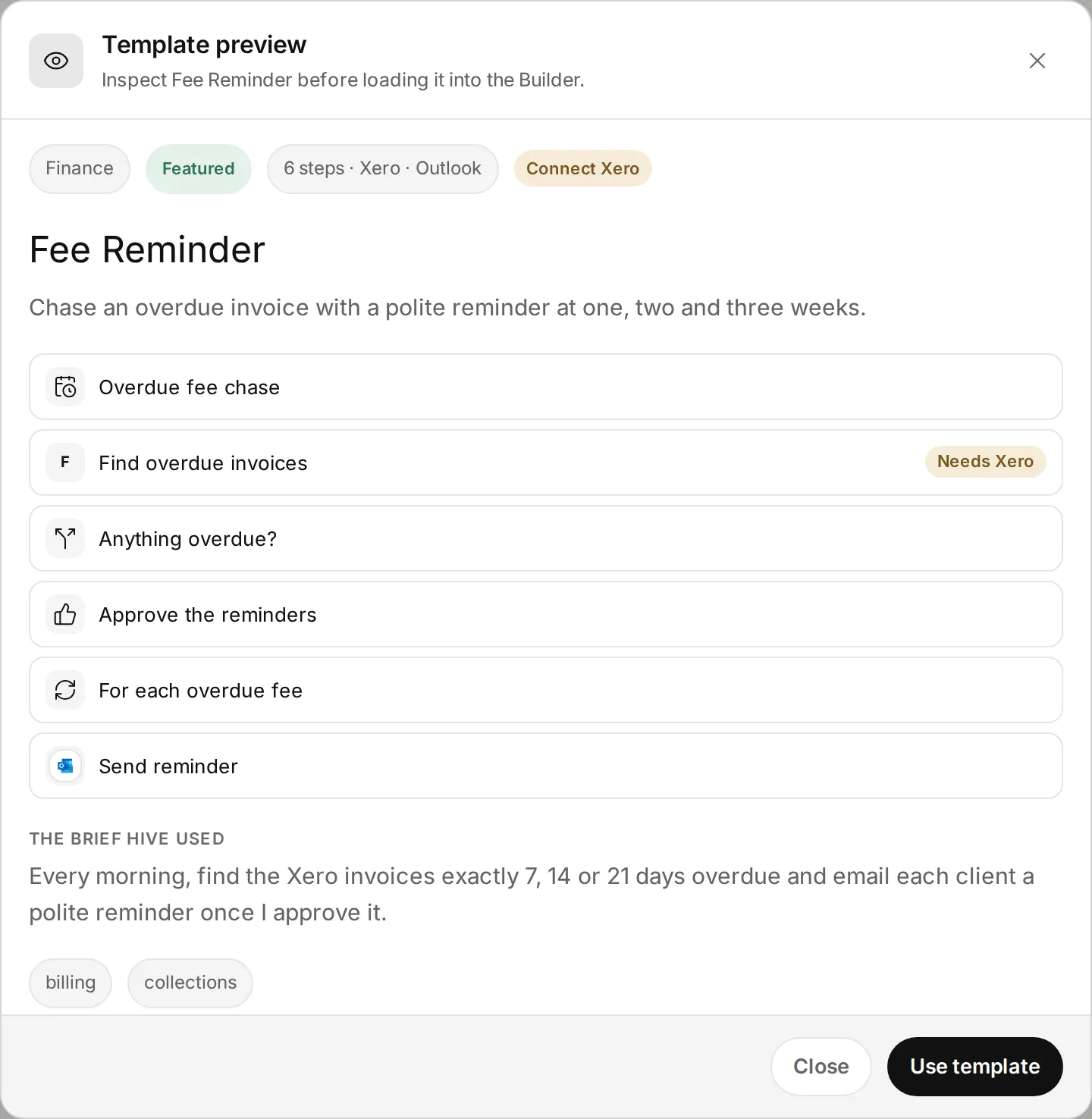
The Fee Reminder workflow template (Xero and Outlook) runs every morning at 6:00 AM UTC and pauses at Approve the reminders, showing exactly who would be emailed. Approve once and the reminders on that list go out; reject and nothing is sent. A morning with nothing overdue never asks.
What stays in your control
- In Signals, a new email to a client comes to you as a card first, because a sent email cannot be undone. The Fee Reminder asks you once, for the whole list.
- Spend caps, roles and the kill switch apply.
- Hive never pays a bill, and never submits evidence for a card dispute.
Every app you connect sits at Read, Draft or Act. On Read, Hive only tells you. On Draft, everything waits for your approval on a card. On Act, Hive acts within your workspace's limits, and anything a safety check holds back still comes to you as a card. Each story says what still waits for you.
Every action leaves a receipt in the audit log, and one kill switch stops everything.
In the docs: Accounts and autonomy · Audit log · Safety and control
Time
Month-end chasing from about 2 hours to about 20 minutes of review.
In our tests (8 November 2026, in Hive's own test workspace):
- Hive read FreeAgent's overdue invoices correctly.
- It drafted first and final payment reminders as Outlook draft cards.
- It drafted personalised chasers for several clients in one go.
Example times are illustrations, not measurements. Where we say “in our tests”, it comes from Hive's own product test runs in a test workspace, dated on the page.
What it looks like
 Illustrative
 Illustrative
 Illustrative
Read the docs
Every step on this page is in the Hive docs, checked on 12 November 2026.
More ways teams use Hive
 Illustrative
Accounting
Onboard a new client end to end
Accounting practices, and any professional firm that onboards clients.
Typical week: Each new client
Example, not a measurement About 3 hours of work spread over a week, down to about 45 minutes of review.
Read the story Illustrative
Accounting · HMRC part Preview
Never miss a filing deadline
Accounting practices, company secretaries, and SMEs with group companies.
Typical week: Monthly, or before each busy season
Example, not a measurement A half-day monthly deadline check down to about 30 minutes reviewing one list. This applies to the Companies House part only.
Read the storyTry it on your own work this week
Sign up, connect the tools you already use, and start with this job.