How teams use Hive · Accounting
Onboard a new client from one form, with you signing off each piece.
Companies House lookup, AML evidence pack, fee quote from your price list, engagement letter, e-signature and document request, prepared in one run.
- Who it's for
- Accounting practices, and any professional firm that onboards clients.
- Typical week
- Each new client
Before
- Look the company up on Companies House and copy out the officers and PSCs.
- Assemble AML evidence by hand.
- Price the work from a spreadsheet.
- Fill in the engagement letter in Word.
- Send it through a separate e-signature tool.
- Email a list of the documents you need, then chase.
With Hive
Run the onboarding pack
In Agent Studio, start from the New Client Onboarding Pack template. Give it the company number, the contact, the services and your price list. In one answer, Hive prepares the Companies House record; an AML evidence pack (disqualified directors, insolvency, charges, Gazette notices) with a risk questionnaire for you to rate; the fee quote, worked out from your price list by Hive's calculator, not the model; and the engagement letter as a Word file in your Library.
Send for signature
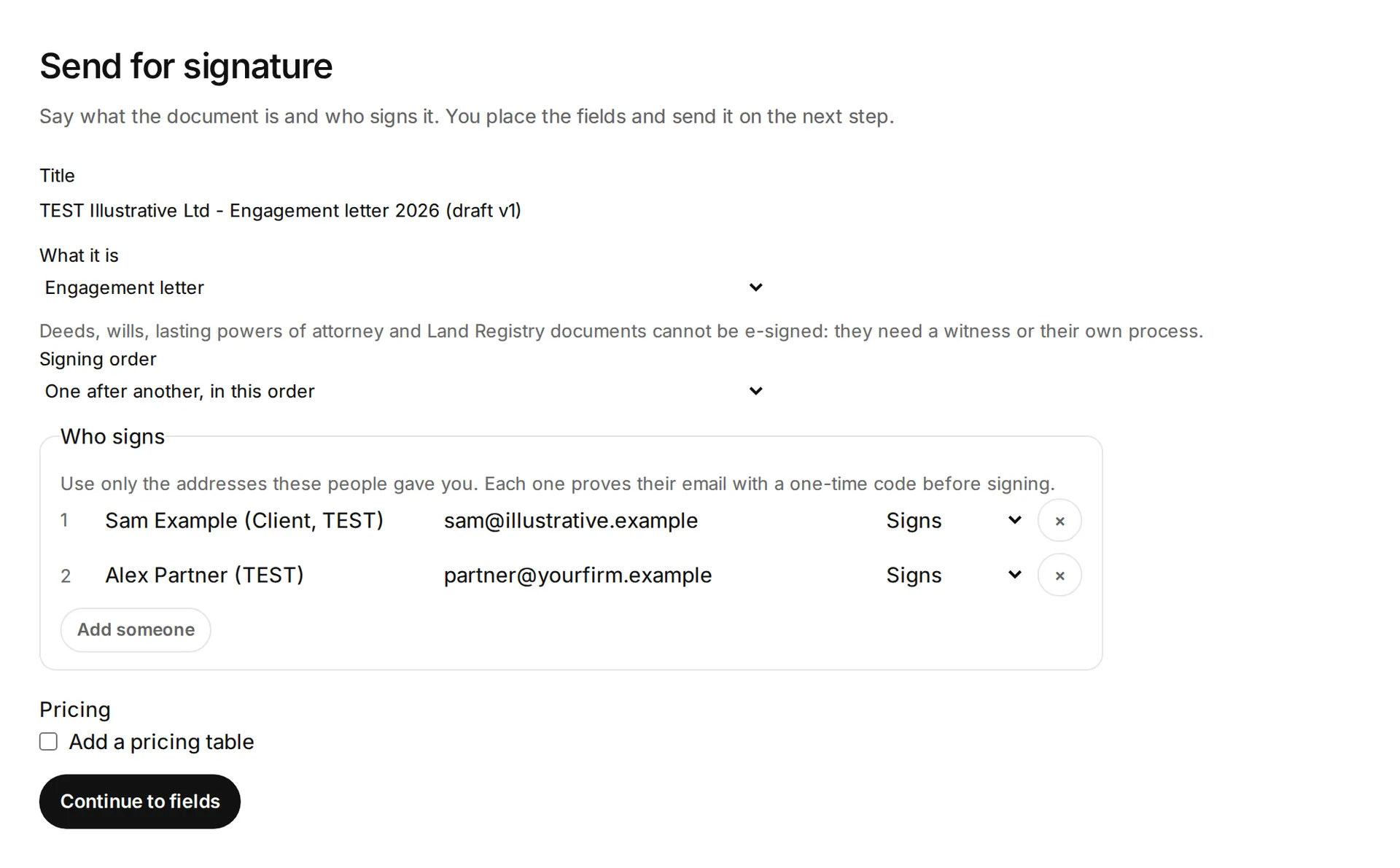
When you ask, the letter comes back as a draft signature request. Check it, then Send for signature: the client signs, then the partner.
Track it in E-signatures
See who has opened and signed it. If you set a reminder interval, Hive reminds whoever has not signed, and you keep the sealed PDF with its audit certificate.
Request documents
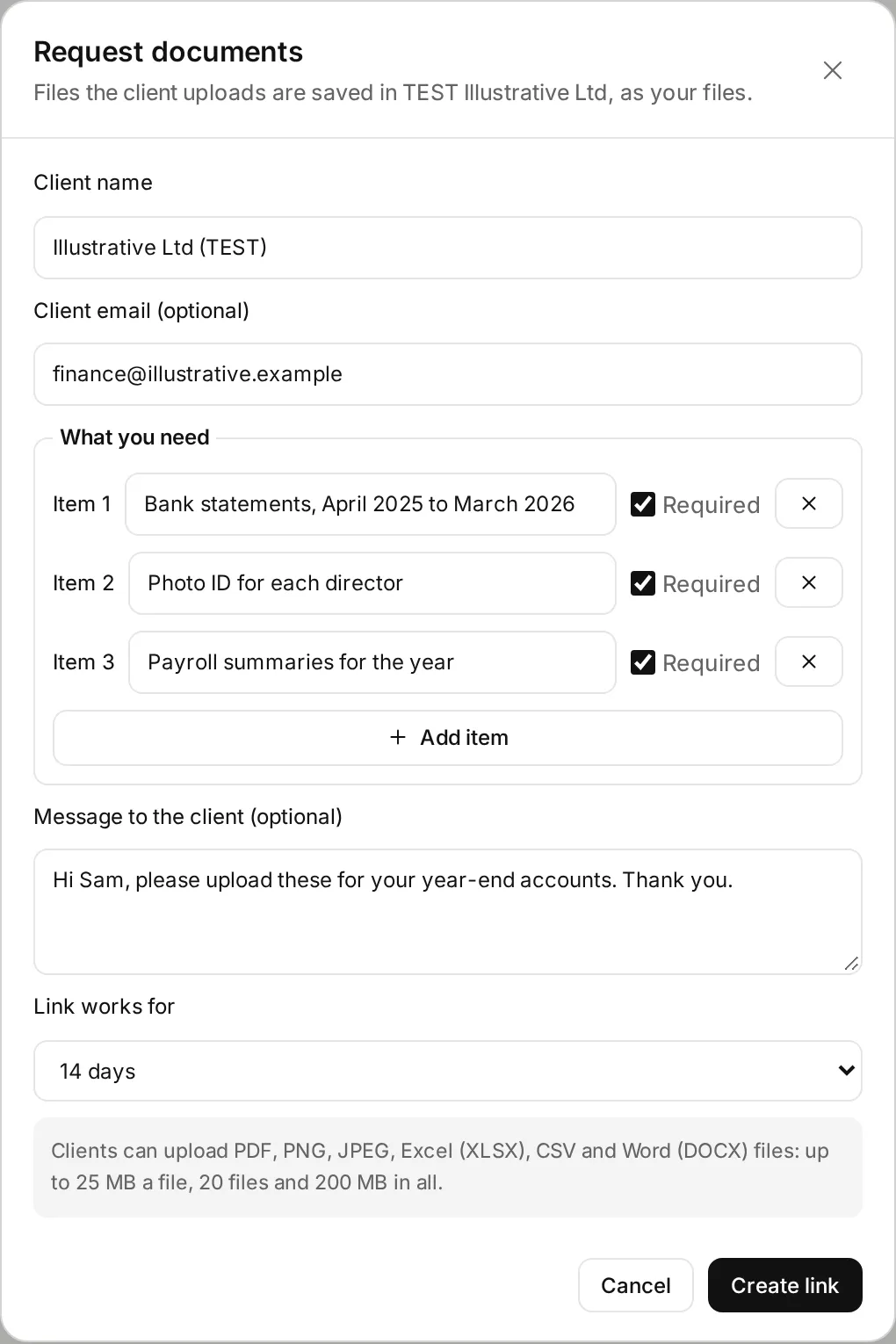
In the Library, open the client folder's ⋯ menu and choose Request documents. Build the checklist (bank statements, ID, payroll), then Draft in Outlook to email the secure link from your own mailbox. The client uploads without an account; each file lands in the folder, named by client, item and date, and you get an Inbox notice.
Chase what's missing
The Client records chaser workflow template runs on Mondays, asks you once to approve the list, and leaves a chaser draft in your Outlook for each client who hasn't sent what you asked for.
What stays in your control
- Nothing goes to the client until you press Send.
- Hive never decides the AML risk rating, and the pack is not an ID&V or sanctions check.
- Fees are worked out by Hive's calculator, never added up by the AI.
- HMRC authorisations are listed for you to request. The HMRC connection is Preview.
- The letter templates are starting points, not legal advice.
Every app you connect sits at Read, Draft or Act. On Read, Hive only tells you. On Draft, everything waits for your approval on a card. On Act, Hive acts within your workspace's limits, and anything a safety check holds back still comes to you as a card. Each story says what still waits for you.
Every action leaves a receipt in the audit log, and one kill switch stops everything.
In the docs: Accounts and autonomy · Audit log · Safety and control
Time
About 3 hours of work spread over a week, down to about 45 minutes of review.
Example times are illustrations, not measurements. Where we say “in our tests”, it comes from Hive's own product test runs in a test workspace, dated on the page.
What it looks like
 Illustrative
 Illustrative
Read the docs
- Accounting and client services →
- UK accounting templates →
- Engagement letters →
- E-signatures →
- Client document requests →
Every step on this page is in the Hive docs, checked on 12 November 2026.
More ways teams use Hive
 Illustrative
Accounting · HMRC part Preview
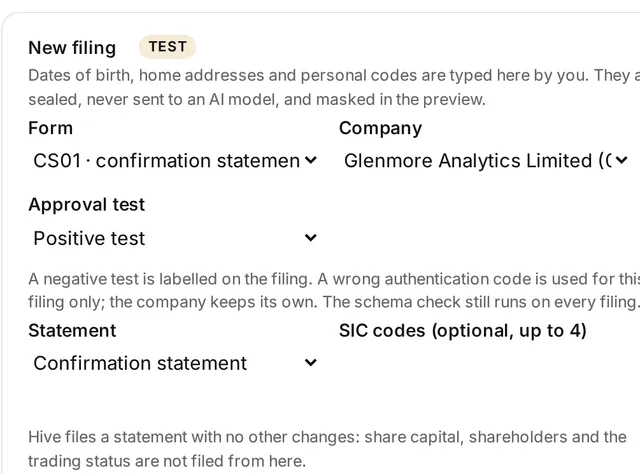
Never miss a filing deadline
Accounting practices, company secretaries, and SMEs with group companies.
Typical week: Monthly, or before each busy season
Example, not a measurement A half-day monthly deadline check down to about 30 minutes reviewing one list. This applies to the Companies House part only.
Read the story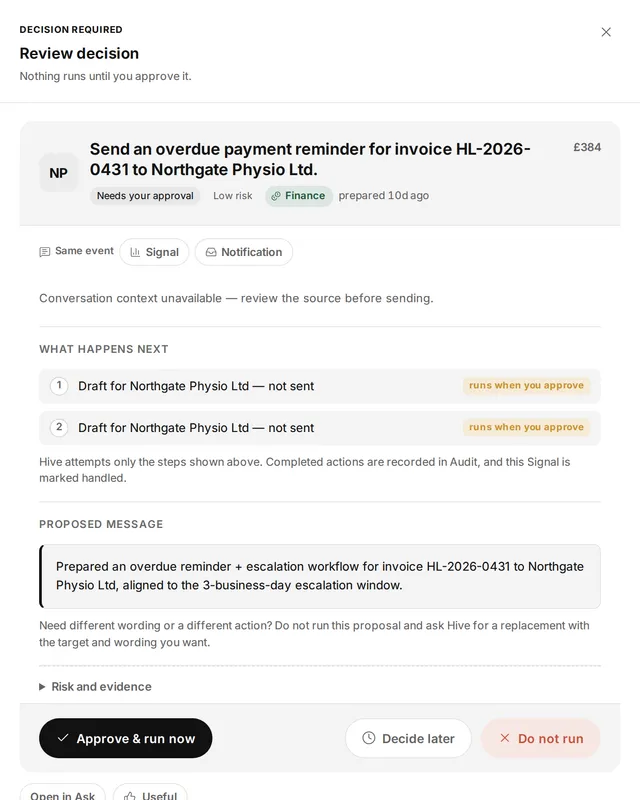 Illustrative
Finance · Accounting
Chase overdue invoices at month end
Finance leads and owners of SMEs, credit control, and practices chasing their own fees.
Typical week: Month end, or every morning
Example, not a measurement Month-end chasing from about 2 hours to about 20 minutes of review.
Read the storyTry it on your own work this week
Sign up, connect the tools you already use, and start with this job.