How teams use Hive · Any team
Turn last month's numbers and notes into a board deck you'd actually present.
Ask Hive for the deck from your files, or bring your own PowerPoint. Edit it with Hive AI, then export to PowerPoint or PDF.
- Who it's for
- Owners, finance leads, consultants, and advisers preparing client packs.
- Typical week
- Monthly board pack or client review
Before
- Copy figures from spreadsheets into last month's deck.
- Rebuild the charts.
- Fix the formatting.
- Email versions around for comments.
With Hive
Ask for the deck
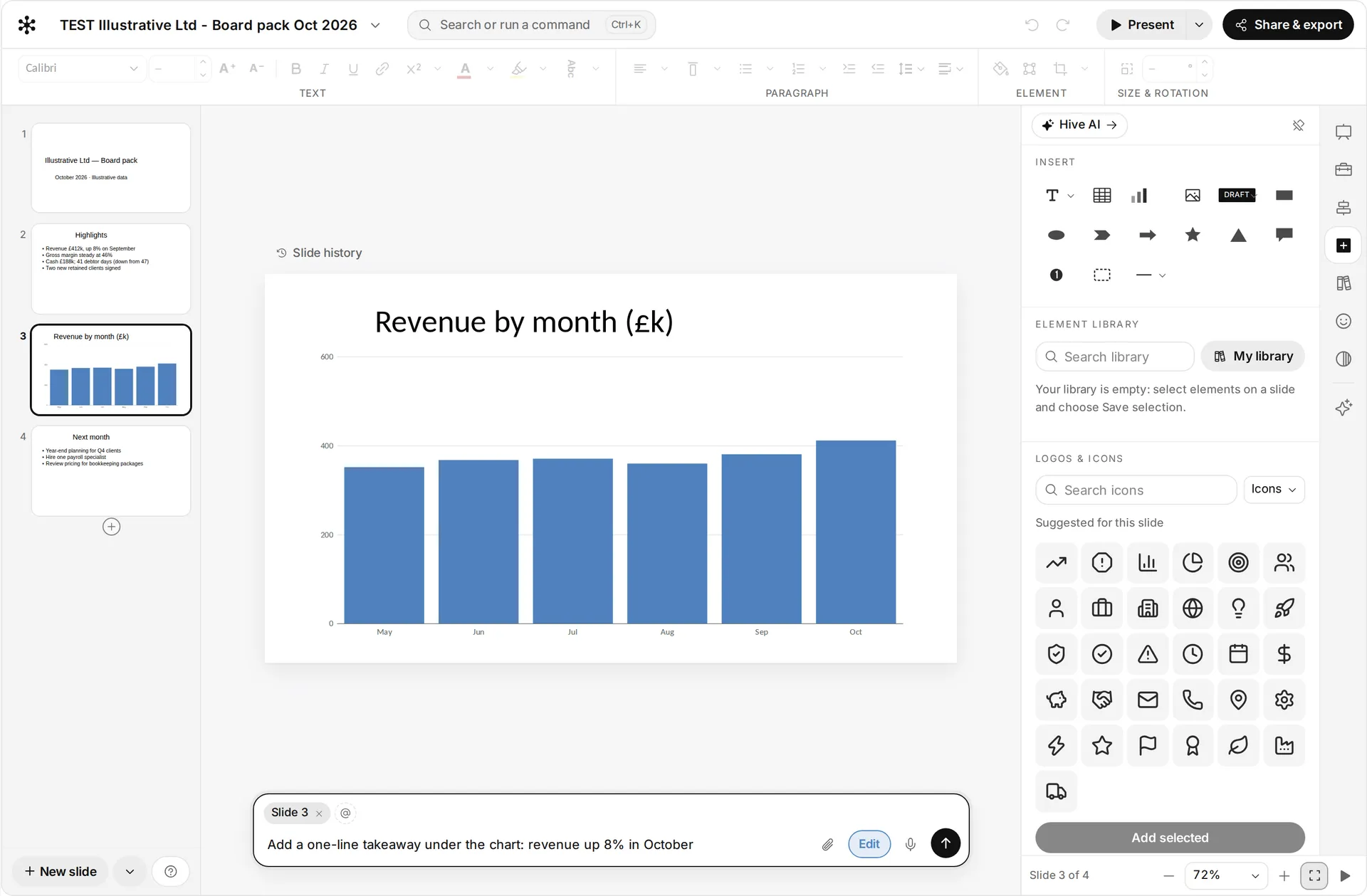
In Ask Hive, attach the management accounts and notes, or pick them from your Library, and ask: “Make a 10-slide board deck from these.”
Or bring your own PowerPoint
Open a PowerPoint file from your Library in the deck editor. It keeps the file's theme fonts and colours, and each slide keeps the background its slide master gives it.
Brief Hive AI
Use the Brief Hive AI box to change one slide or the whole deck: “Turn slide 4 into a chart”, “Tighten the wording”.
Edit together
Colleagues edit with you live. Every change is saved, and File history keeps the versions.
Share or present
Choose Share & export to download PowerPoint or PDF, or Present from the browser.
What stays in your control
- The deck stays in your workspace, with its file's sharing.
- View-only people can look, present and download, but can't change it.
- Nothing is sent anywhere unless you share or export it.
Every app you connect sits at Read, Draft or Act. On Read, Hive only tells you. On Draft, everything waits for your approval on a card. On Act, Hive acts within your workspace's limits, and anything a safety check holds back still comes to you as a card. Each story says what still waits for you.
Every action leaves a receipt in the audit log, and one kill switch stops everything.
In the docs: Accounts and autonomy · Audit log · Safety and control
Time
A monthly pack from about half a day to about an hour of review and edits.
Example times are illustrations, not measurements. Where we say “in our tests”, it comes from Hive's own product test runs in a test workspace, dated on the page.
What it looks like
 Illustrative
More ways teams use Hive
 Illustrative
Any team
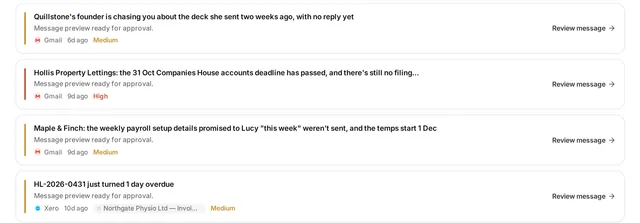
Answer the client emails waiting on you
Anyone who lives in Outlook or Gmail: owners, account managers, partners, practice managers.
Typical week: Every morning
Example, not a measurement A morning inbox pass from about 45 minutes to about 10 minutes of reading and approving drafts.
Read the story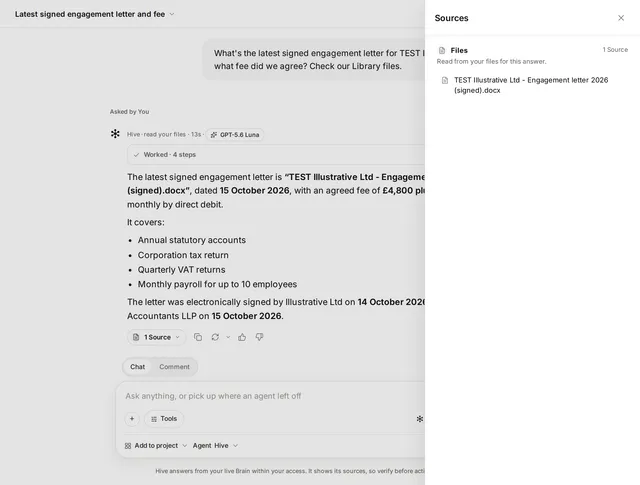 Illustrative
Any team
Find anything across email, drive and files
Everyone, from new joiners to partners.
Typical week: Many times a day
Example, not a measurement A 15 to 20 minute hunt down to a few minutes.
Read the storyTry it on your own work this week
Sign up, connect the tools you already use, and start with this job.