How teams use Hive · Any team
Ask once. Get the answer from your email, drive and files, with the source.
No more digging through folders and inboxes. Every answer links to the exact email, file or record it came from.
- Who it's for
- Everyone, from new joiners to partners.
- Typical week
- Many times a day
Before
- Search Outlook, then SharePoint, then the drive.
- Ask a colleague, then wait.
- Open five versions of the same file to find the signed one.
With Hive
Ask in plain words
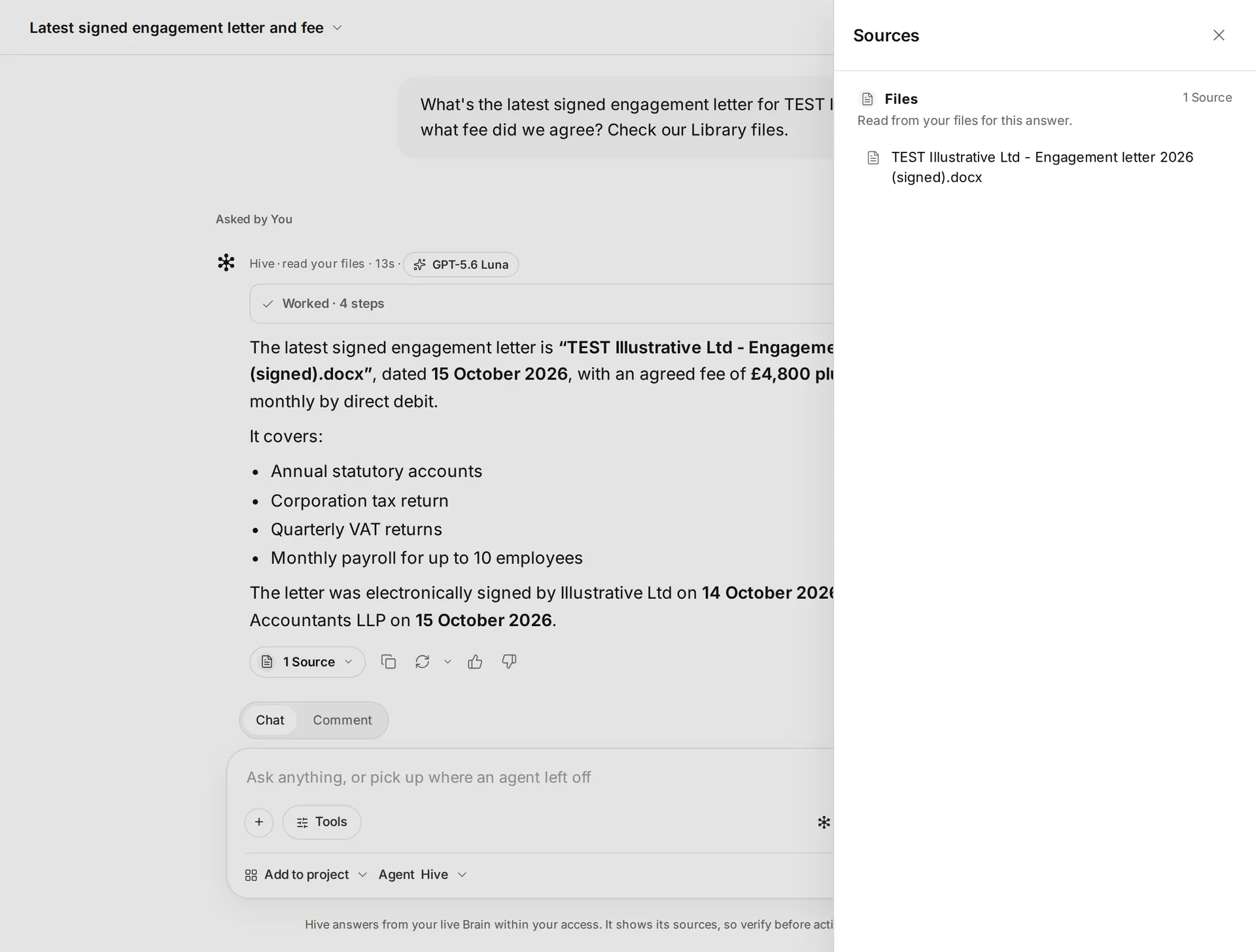
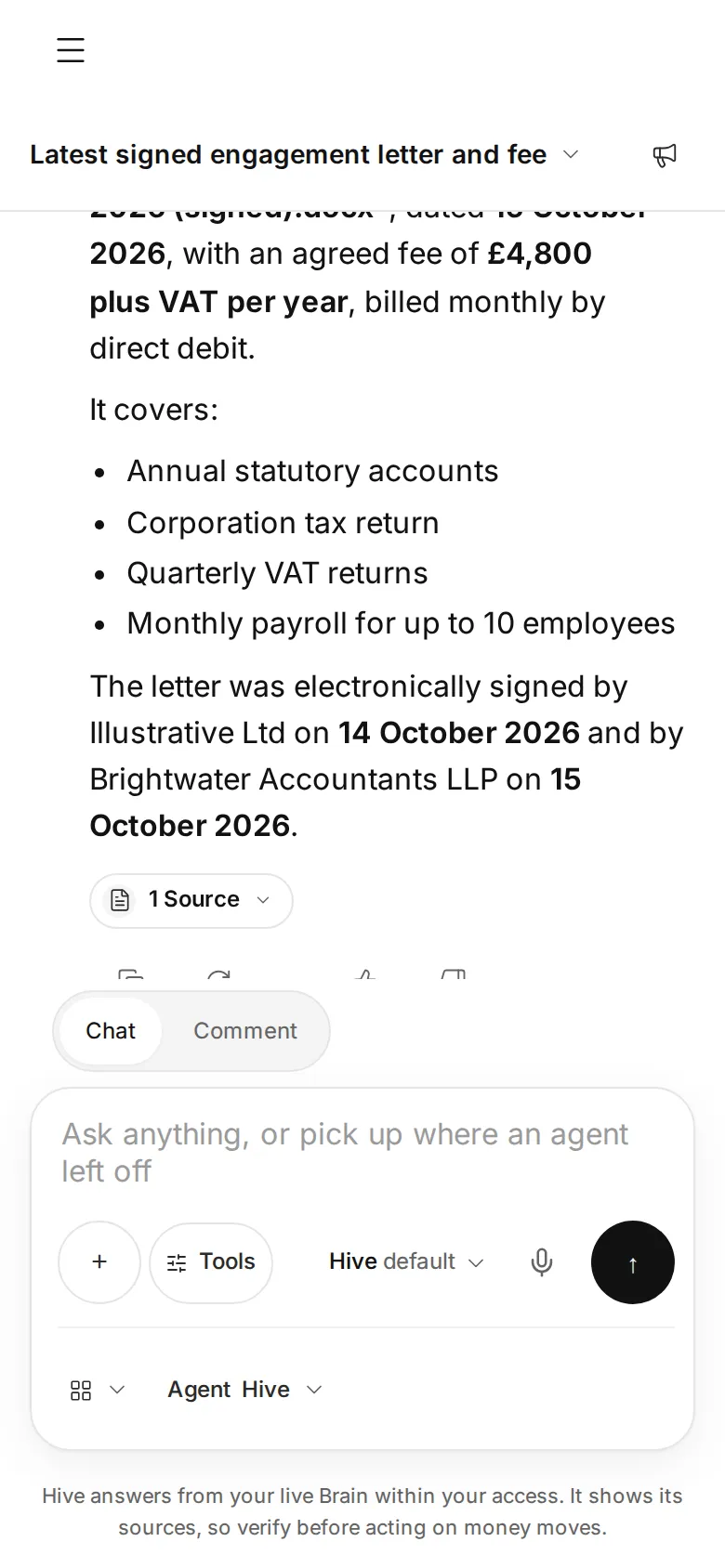
Open Ask Hive and ask: “What's the latest signed engagement letter for Acme, and what fee did we agree?”
Hive reads as you
Hive reads your connected mail, files and tools through your own connections, so it only sees what you can already open.
Check the sources
Choose N Sources under the answer. The Sources panel lists the exact emails, files and records it used, one card per system.
No guessing
If Hive couldn't read a source, it says so. If nothing it read matches, it shows no sources rather than attach ones that don't.
What stays in your control
- Hive sees only what you can see.
- Answers carry their sources, so you can check them before you rely on them.
Every app you connect sits at Read, Draft or Act. On Read, Hive only tells you. On Draft, everything waits for your approval on a card. On Act, Hive acts within your workspace's limits, and anything a safety check holds back still comes to you as a card. Each story says what still waits for you.
Every action leaves a receipt in the audit log, and one kill switch stops everything.
In the docs: Accounts and autonomy · Audit log · Safety and control
Time
A 15 to 20 minute hunt down to a few minutes.
In our tests (8 November 2026, in Hive's own test workspace):
- Hive found the latest client document in a SharePoint library, with its path and date.
- It found a signed client letter with its signers and date.
- It listed the deadlines mentioned in the inbox.
- It searched Outlook and Gmail by keyword and by sender.
Example times are illustrations, not measurements. Where we say “in our tests”, it comes from Hive's own product test runs in a test workspace, dated on the page.
What it looks like
 Illustrative
 Illustrative
Read the docs
Every step on this page is in the Hive docs, checked on 12 November 2026.
More ways teams use Hive
 Illustrative
Any team
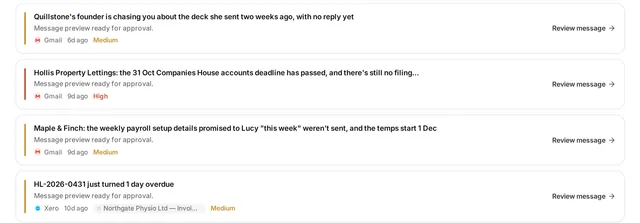
Answer the client emails waiting on you
Anyone who lives in Outlook or Gmail: owners, account managers, partners, practice managers.
Typical week: Every morning
Example, not a measurement A morning inbox pass from about 45 minutes to about 10 minutes of reading and approving drafts.
Read the story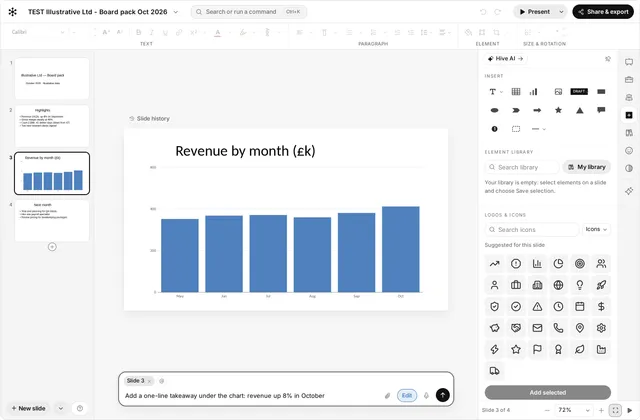 Illustrative
Any team
Build a board or client deck from your files
Owners, finance leads, consultants, and advisers preparing client packs.
Typical week: Monthly board pack or client review
Example, not a measurement A monthly pack from about half a day to about an hour of review and edits.
Read the storyTry it on your own work this week
Sign up, connect the tools you already use, and start with this job.